
 Shop Now
Xmind Review — Worth it for productivity and mind mapping?
Too many ideas, scattered notes, and half-baked plans can stall a project before it gets off the ground. Whether you’re planning a product launch, organizing meeting notes, or studying for exams, a robust mind-mapping tool can turn scattered thoughts into clear action. Xmind positions itself as that solution: cross-platform mind-mapping software with templates, export options, and collaboration features. This review looks at what Xmind really delivers day to day and whether it’s worth your budget and attention.
What Xmind promises (and what to expect)
- Visual brainstorming with multiple map styles (classic mind map, fishbone, matrix, timeline).
- Cross-platform apps for desktop, web, and mobile with offline support and syncing.
- Export and share to common formats (PDF, PNG, PPT-like slides, and native .xmind files).
- Presentation mode and slide-based export to turn maps into linear presentations.
- AI-assisted features and more advanced templates on paid tiers.
Specifications / Materials (Material & Quality)
- Platforms: Windows, macOS, Linux, iOS, Android, and web app.
- File format: Native .xmind format for project files; exports to PDF, PNG, SVG, and slide/pdf formats.
- UI & build quality: Modern, clean interface with drag-and-drop editing, keyboard shortcuts, and reasonably polished animations. Desktop apps feel snappy; mobile apps are streamlined for smaller screens.
- Sync & storage: Cloud sync between devices with offline editing capability. Sync is generally reliable but can be slower with very large maps.
- Templates & assets: Solid library of templates, themes, and stickers; slide mode for presentation creation.
- Security & privacy: Local file storage is supported; cloud storage uses standard encryption — check terms for enterprise-level compliance.
Real-world experience — Pros & Cons
Pros
- Fast onboarding: Creating a basic mind map is immediate — the app guides you through nodes, connectors, and quick formatting.
- Polished visuals: Clean themes, multiple map styles, and a slide mode let you produce presentation-ready output quickly.
- Cross-device workflow: Desktop editing with mobile review/edit makes it convenient for on-the-go notes and deep desktop work.
- Generous free tier: The free plan is functional for students and casual users who don’t need advanced exports or collaboration extras.
- Export versatility: Exports to common formats allow easy sharing with non-Xmind users and inclusion in reports or slide decks.
Cons
- Advanced features behind paywall: AI tools, unlimited slides, and some export options require Pro or Premium.
- Collaboration limits: Real-time collaboration exists but isn’t as fluid as web-first tools built specifically for team whiteboarding.
- Sync edge cases: Very large or heavily media-rich maps can slow sync and increase loading times.
- Custom styling limitations: If you need pixel-perfect styling or very complex node shapes, Xmind’s options are practical but not infinitely customizable.
🎁 Unlock Coupons & Deals View all available discount codesIn daily use Xmind is a reliable tool for turning messy ideas into structured maps and presentations. It’s fast, attractively designed, and practical — especially when you don’t need an enterprise whiteboard with endless integrations.
Usage notes
Working on a 30-node project and later expanding it to a 200-node strategic plan showed Xmind’s strengths and limits. Editing and reorganizing nodes was fluid; the presentation mode saved time turning the map into a meeting deck. However, importing heavy images into many nodes made the desktop app load times noticeably longer, and occasional manual sync refreshes were required after offline edits.
Quick comparison
| Product | Strength | Best fit |
| Xmind | Polished mind-mapping, presentation export, cross-platform | Individuals, students, small teams |
| MindMeister | Strong real-time collaboration, web-first | Distributed teams needing simultaneous editing |
| Miro | Flexible infinite canvas, whiteboard features | Workshops, design teams, cross-functional brainstorming |
Pricing (USD)
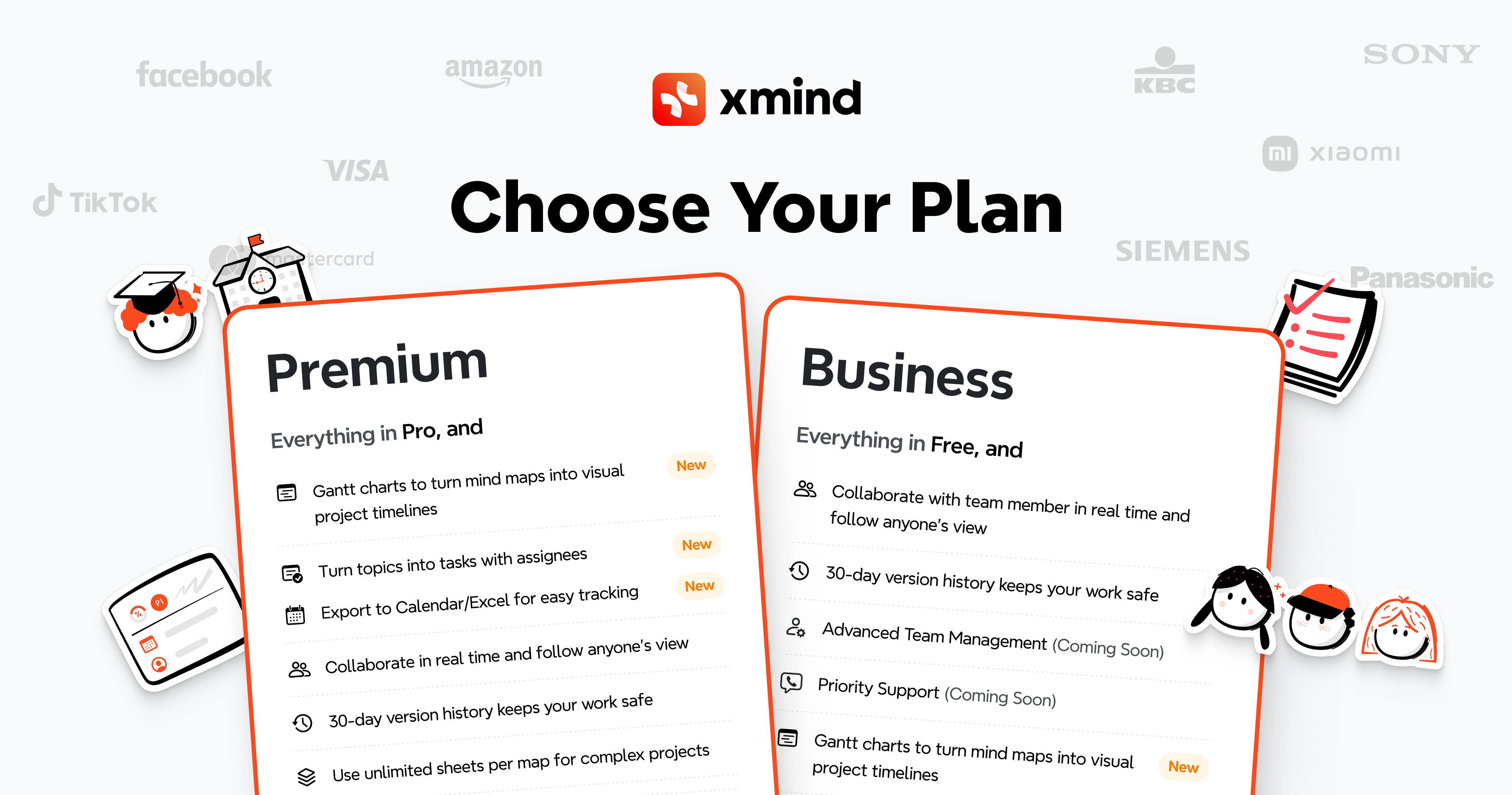
- Free: Basic mind-mapping features and a useful set of templates — good for students and casual users.
- Pro: Starts at approximately $39.99/year (USD) — adds advanced export, more templates, and extra map types.
- Premium: Starts at approximately $79.99/year (USD) — includes AI features, unlimited slides, and priority support.
Note: Pricing and promo offers can change. The vendor often discounts annual plans (sometimes up to 50% off) — check available promotions before purchase.
Who should buy Xmind?
- Busy professionals who need fast, tidy mind maps that can become presentable slides without hopping into PowerPoint.
- Students and researchers who want to organize notes, references, and study plans visually.
- Solo founders and small teams who value cross-platform access and straightforward exports over heavy collaborative whiteboard features.
- Anyone who wants a modern, reliable mind-mapping app without the clutter of full-fledged project management tools.
Verdict
Xmind is a strong, well-rounded mind-mapping tool that balances usability, visual polish, and cross-platform support. For individuals and small teams focused on brainstorming, structuring ideas, and producing presentation-ready maps, Xmind is worth considering. The free tier is generous; the paid tiers unlock productivity boosts like advanced exports and AI assistance. If real-time multi-user whiteboarding is your top priority, consider web-first alternatives like MindMeister or Miro.
If you’re ready to try Xmind, note that there are often discount codes and special offers available when purchasing through my store — check for current promotions to save on annual plans.