
Elementor Editor Review — Worth it?
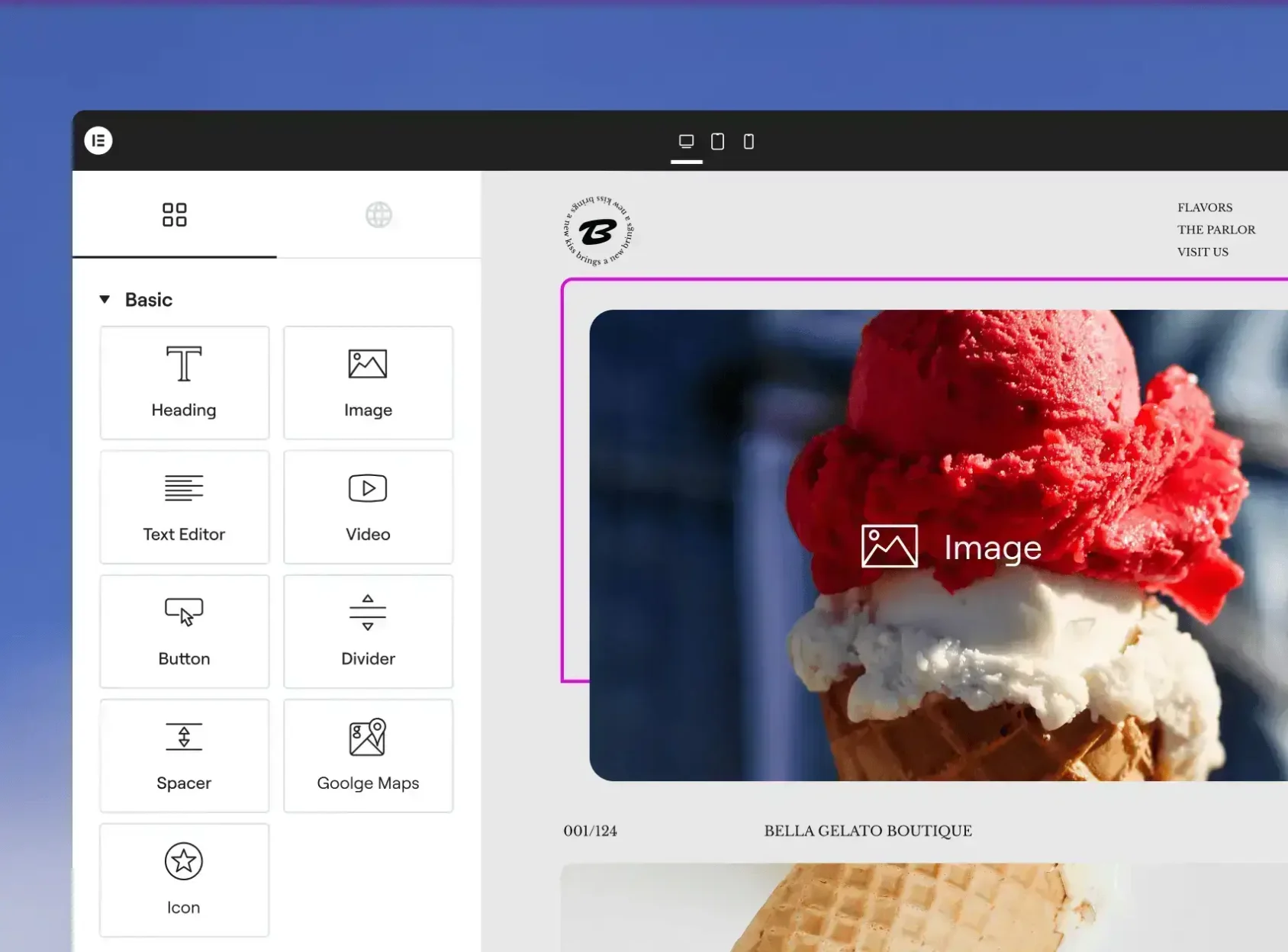
Building a WordPress site that looks professional, performs well, and remains easy to update is still a challenge for many users. You can struggle with theme limitations, piecing together plugins, or hand-coding layouts that don’t adapt to mobile. Elementor Editor by Elementor promises a visual, drag-and-drop design experience that eliminates those roadblocks—letting designers and non-developers create pages, templates, and dynamic content without touching PHP or heavy CSS. But does it deliver in the real world? This review walks through what the editor is, how it feels to use, and whether it's worth the investment.
Quick overview
- Product: Elementor Editor
- Brand: Elementor
- Type: WordPress page builder (plugin)
- Starting price: from $59/year (Pro plans; free version available)
Specifications / Materials (Material & Quality)
For a software product, “materials” translate into code quality, UI design, template library, and integrations. Here’s how Elementor fares:
- Interface and UX: A polished, visual drag-and-drop editor with inline text editing, responsive controls, and a sidebar of widgets and settings. The UI is intuitive for designers and approachable for beginners.
- Template Library: Hundreds of pre-built page kits and blocks, updated frequently. Templates are professionally designed and cover common use cases: landing pages, portfolios, blogs, and WooCommerce stores.
- Widgets and Features: Core widgets (headings, images, buttons), advanced widgets (forms, sliders, galleries), theme builder (header/footer/single/archive), popup builder, and dynamic content for custom fields.
- Code and Performance: Well-maintained code with frequent updates. Offers performance tools (CSS/JS optimization, asset loading controls), but heavy use of complex widgets and many third-party add-ons can increase page weight.
- Compatibility: Works with most WordPress themes and common plugins, including WooCommerce, ACF, and popular SEO plugins. Conflicts are uncommon but can happen with niche themes or outdated plugins.
- Support & Documentation: Extensive docs, tutorials, and a large community. Pro customers get priority support channels.
Real-world experience — Pros & Cons
Pros
- Speed of design: Building a landing page or a full site visually is fast. Drag-and-drop, copy-paste, and global styles save hours compared to coding.
- Design control: Pixel-level control without code: spacing, responsive breakpoints, custom CSS when needed, and global fonts/colors.
- Theme Builder power: Create headers, footers, single post templates, and archive layouts in one system—very powerful for branding and consistency.
- Template quality: Starter kits give you ready-to-go designs that are easy to adapt, reducing iteration time in client projects.
- Extensibility: Works well with custom fields and dynamic data for building client sites, membership sites, and custom post type layouts.
Cons
- Performance caution: If you stack many widgets, heavy animations, or third-party add-ons, page size and render time can increase. You’ll need to be mindful about optimization (caching, asset loading).
- Learning curve for advanced features: Basic tasks are easy, but mastering global styles, condition logic in Theme Builder, and dynamic content takes time.
- Plugin dependency: Sites built heavily with Elementor rely on the plugin; migrating away requires work. That’s expected for any builder-based workflow.
- Occasional update quirks: Major updates can change workflows; backups and staging are recommended before big upgrades.
How it feels day-to-day
As a daily tool, Elementor blends speed and control. I can prototype a page in 20–40 minutes using a kit, then fine-tune spacing and mobile behavior in an additional 10–15 minutes. The Theme Builder replaces the need for multiple theme customizations and saves time on client revisions. For smaller content edits, inline editing is intuitive and reduces friction. Performance-conscious projects require an optimization step, but that’s standard for modern visual builders.
🎁 Unlock Coupons & Deals View all available discount codesQuick comparison
| Feature | Elementor | Divi Builder | Gutenberg (Block Editor) |
| Ease of visual design | High — WYSIWYG with many widgets | High — visual builder, similar capabilities | Moderate — improving but fewer advanced layout widgets |
| Template & block library | Extensive | Extensive | Growing, community-driven |
| Theme builder / dynamic content | Yes — advanced | Yes — integrated | Limited without extensions |
| Performance out of the box | Good with optimization | Similar — requires tuning | Typically lighter |
Target audience — Who should use Elementor?
- Freelance designers and agencies: Rapid prototyping, reusable kits, and theme builder features make client work faster and more consistent.
- Small business owners: Non-technical users can build or maintain marketing pages and stores without hiring a developer.
- WooCommerce and online stores: Good support for product templates and shop layouts, useful for stores that need custom product pages.
- Developers who want speed: Developers can extend widgets, use dynamic content, and control outputs while saving time on front-end build.
- Not ideal for: Purists who insist on minimal plugin footprint and sites that must be as lean as humanly possible without visual builder trade-offs.
Pricing snapshot
Elementor has a free version with solid core functionality. Pro plans start at around $59/year for a single site license, with higher tiers available for multiple sites and agency needs. Consider which plan matches the number of sites and features you need (theme builder, popup builder, premium widgets).
Final verdict
Elementor Editor is one of the most polished and capable page builders available for WordPress. It balances ease-of-use with powerful, developer-friendly features. If you want fast visual design, a robust template library, and a full theme-building workflow, Elementor is worth considering. Expect to spend some time on optimization for peak performance, and use staging/backups for major updates.
In my experience, Elementor turns sites around faster than hand-coding while delivering high-quality results. For most businesses and agencies, the productivity gains outweigh the trade-offs.
Interested in buying?
If you decide to purchase Elementor Pro, prices start at about $59/year. Note: there are occasionally discount codes and special offers available through my store—check the purchasing options there for any current promotions.
Overall score: 4.5 / 5 — excellent design control and workflow benefits, with a small caveat around performance tuning for large, feature-heavy builds.