
Carvera Desktop CNC Machine Overview 2026
Makera Deal
Makera Deal
Makera Deal
Makera
About Makera
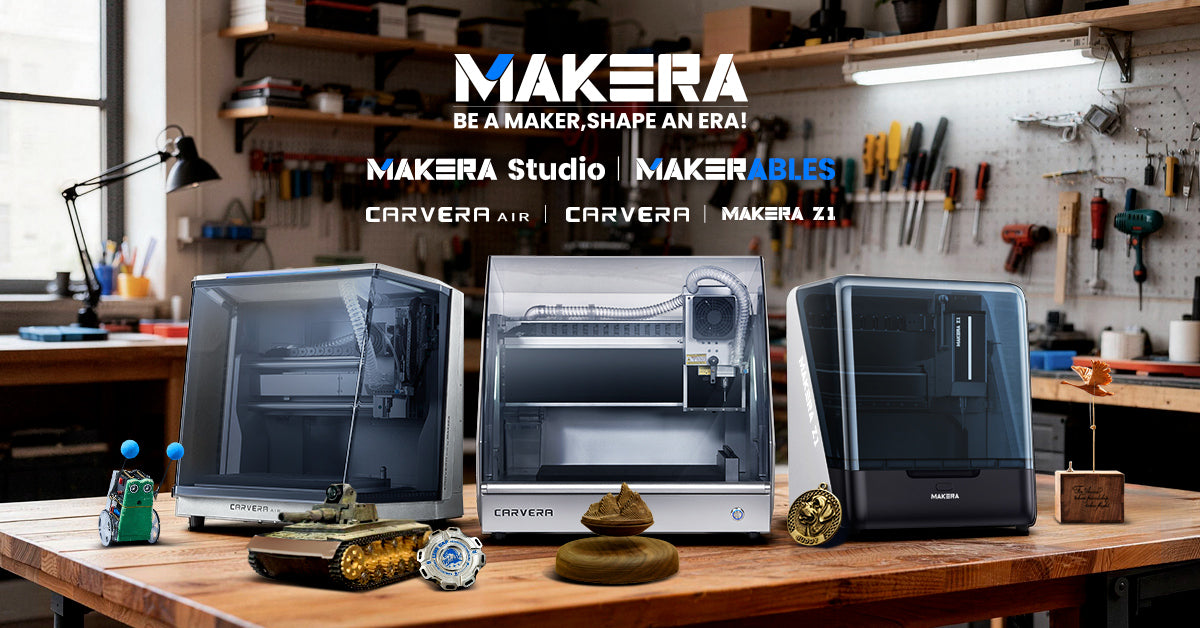
Makera makes intelligent desktop CNC machines that make digital fabrication accessible. Founded in 2019 by makers frustrated with clunky tools, Makera launched Carvera, Carvera Air, and the Z1—bringing industrial-grade precision and intuitive software to hobbyists and professionals alike. With user-first design and free CAM software, Makera empowers creators worldwide to turn ideas into reality.
Carvera Desktop CNC Machine Review — Worth it? (Best for Makers & Small Shops)
Looking for a desktop CNC that feels as approachable as a 3D printer but delivers real milling capability? Many hobbyists, makers, and small shops struggle with the jump from simple routers to precision machining: complex setups, tool changes, fixturing headaches, and a steep learning curve. The Carvera Desktop CNC Machine from MAKERA promises to bridge that gap with smart automation (Auto Tool Changer, Auto Probe), integrated subsystems (vacuum table, laser engraver), and an emphasis on out-of-the-box usability. This review walks through materials and quality, hands-on impressions, quick comparisons, and who should consider buying one.

Material & Quality
- Build feel: The Carvera arrives heavy and substantial (listed weight ~70 kg), which translates to low vibration and a solid machining platform. It gives the impression of an industrial-minded desktop machine rather than a hobby-class router.
- Components: MAKERA bundles several precision-oriented systems — an Auto Tool Changer, Auto Probe (one wireless probe included), vacuum hold-down system, and an integrated laser engraver — which are notable at this price point.
- Fit and finish: Assembly and enclosure parts appear well-finished with professionally routed cable management and clear access points for maintenance. The included documentation and unpack guidance reduce initial friction.
- Accessories & expandability: Options include a 4th axis (harmonic drive version) and PCB-focused bundles. The machine is positioned to scale with your needs via bundles rather than aftermarket modding.
Key Specifications (from manufacturer listing)
| Brand | MAKERA |
| Product | Carvera Desktop CNC Machine |
| Highlighted Features | Auto Tool Changer, Auto Probe (wireless included), Vacuum System, Laser Engraver, optional 4th Axis Module |
| Weight | ~70 kg |
| Packages & Pricing (USD) |
Carvera Standalone: $5,499 (compare at $5,999) Carvera 4th Axis Bundle: $5,799 (compare at $6,598) Carvera 4th Axis PCB Bundle: $5,999 (compare at $6,997) Carvera Ultimate Maker Bundle: $6,917 (compare at $8,224) |
Real-world Experience — Pros & Cons
- Pros — Day-to-day:
- Onboarding is smoother than many traditional CNCs: clear unpack/manual resources and an interface geared toward makers shorten the learning curve.
- Auto Tool Changer is a major workflow win — fewer pauses to swap bits, which helps on multi-tool jobs and small production runs.
- Auto Probe dramatically reduces setup time and increases accuracy when locating stock and setting Z-zero, especially helpful for PCB work or repeatable fixtures.
- Vacuum system simplifies hold-down for flat parts, avoiding complex clamps for many jobs.
- Integrated laser engraver is convenient for marking and light engraving tasks without swapping tools.
- Community and knowledge-sharing resources help bridge the gap for newcomers.
- Cons — What to watch for:
- Price sits above basic hobby routers; while features justify much of it, casual hobbyists who only do occasional carving may find the cost hard to justify.
- Footprint and weight make it less portable than smaller benchtop machines — plan for a dedicated workspace.
- Vacuum tables and laser modules add convenience but also more moving parts that require maintenance (filters, pumps, optics).
- While the integrated features are strong, users with heavy industrial milling needs (deep hogging, large aluminum removal) may still prefer higher-powered shop machines.
Workflow & Feel
Using the Carvera feels closer to operating a refined desktop appliance than tinkering with a shop router. Jobs that previously required fiddly jigs (like multi-tool PCB traces or small wood runs) become more predictable thanks to the Auto Probe and tool changer. The vacuum hold-down is quiet and effective for many thin or flat materials; for thicker or irregular stock you’ll still need mechanical clamping. Overall, the machine rewards a workflow-oriented setup: spend time upfront building good fixtures and the day-to-day productivity increases markedly.
Quick Comparison — Carvera vs. Competitors
- Carvera vs. Carbide 3D Nomad (e.g., Nomad 3)
- Nomad tends to be more compact and targeted at individual makers with simpler needs; Carvera focuses on automation and expandability (ATC, vacuum, 4th axis).
- Carvera’s feature set is broader out of the box, while Nomad’s strength is in simplicity and a smaller footprint.
- Carvera vs. Bantam Tools Desktop CNC
- Bantam Tools machines are known for tight software integration and reliability for PCB and small-part work. Carvera matches them on intent but adds an ATC and vacuum as standard/optional items, offering more automation for multi-tool processes.
- Price and bundle choices put Carvera in the same small-shop/prosumer bracket as Bantam Tools, with trade-offs depending on which specific features (ATC, 4th axis, laser) you value most.
Who Is the Carvera Best For?
- Makers and small businesses who value automation and want to scale from prototyping to small production runs without a large shop footprint.
- PCB prototypers and electronics makers who benefit from accurate probing and multi-tool sequences.
- Designers and woodworkers who want a cleaner, more repeatable workflow (vacuum hold-down, ATC) with less manual fiddling.
- Not ideal as a first machine for someone who only wants occasional one-off decorative carving — the investment pays back fastest when used regularly.
Verdict: Carvera is a compelling step up from entry-level desktop routers — it brings automation and thoughtful systems that turn one-off projects into efficient, repeatable runs. For makers and small shops that will use its automation regularly, it is worth serious consideration.
Call to Action
Interested in making the jump? If you buy through my store, I can offer an exclusive discount or bundle deal (ask about STORE10 for a limited-time saving or contact us to tailor a bundle). We also provide setup advice and recommended accessories to get the most from the Auto Tool Changer, vacuum system, and 4th axis options.
Final note: The Carvera stands out by making precision machining more accessible. If your workflow benefits from automation, repeatability, and an integrated feature set, it’s a strong contender in the prosumer desktop CNC category.