

Katana
0 Coupons, 0 Verified Coupons










Katana Coupons and Promo Codes
Katana Review — Worth it for Small Manufacturers and Makers?

Introduction — the problem and why Katana exists
Many small manufacturers, craft brands, and makers outgrow spreadsheets quickly. Common pain points include disconnected sales channels, inaccurate inventory counts, manual bill-of-materials (BOM) handling, late or missed production deadlines, and no single source of truth for materials and finished goods.
Katana positions itself as a cloud-first inventory and production management platform built to give real-time visibility into stock, MRP-style production planning, and simple integration with popular accounting and e‑commerce tools. The promise: replace disjointed processes with a single dashboard so shop owners can plan production, pick and ship orders, and understand margins without constant spreadsheet surgery.
Specifications / Materials (Material & Quality)
| Product | Katana — Cloud Inventory & Production Management |
| Deployment | Cloud (SaaS) |
| Primary features | Real-time inventory, BOMs, production planning, shop-floor orders, batch/lot tracking, order management, costing |
| Key integrations | Shopify, WooCommerce, QuickBooks Online, Xero, various shipping and e‑commerce connectors, open API |
| Users & roles | Multiple users with role-based permissions; designed for small-to-medium teams |
| Reporting | Inventory valuation, production performance, cost of goods sold insights, order status dashboards |
| Mobile access | Responsive web app; mobile workflows available (varies by feature) |
| Support | Email/chat support, knowledge base, onboarding resources |
Real-world experience — Pros & Cons
Pros
- Clear production-first interface: Katana’s production planning board is visual and intuitive. Creating shop orders, assigning materials, and tracking batch status is straightforward — a real improvement over spreadsheet workflows.
- Real-time inventory visibility: Stock levels update as sales and production happen, which reduces surprises and prevents double-selling across e‑commerce channels.
- Good integrations with common tools: Built-in connectors for Shopify, WooCommerce, QuickBooks Online and Xero make it easy to sync sales, invoices, and accounting data without manual exports.
- Accessible for non-technical teams: Setup and onboarding are approachable for small teams; the UI is clean and the terminology maps well to manufacturing concepts like BOMs and work orders.
- Batch and lot tracking: Useful for food, cosmetics, or any product that needs traceability — the functionality is present and usable.
Cons
- Not a full ERP for complex manufacturers: If you need shop-floor machine integrations, advanced routing, detailed capacity planning, or complex job costing, Katana may feel limited compared with heavyweight ERP systems.
- Reporting limitations: Standard reports cover common needs, but deeper or highly customized analytics often require exports to a BI tool or accounting system.
- Pricing can scale up: For very small makers, the value is clear, but monthly fees (for paid tiers) add up as you add users and advanced features.
- Offline/shop-floor constraints: The platform is cloud-based; if your production floor needs robust offline mobile scanning or ruggedized hardware support, expect to rely on workarounds or third-party tools.
- Some advanced inventory workflows need manual workarounds: Very specific processes (complex kitting, multi-step routing) may require creative use of Katana features rather than native support.
From hands-on use, Katana stands out for clarity and speed when you need immediate inventory and production visibility — especially for businesses that sell online and make things in small runs.
Quick comparison with competitors
| Feature | Katana | Fishbowl | QuickBooks Commerce |
|---|---|---|---|
| Best for | Small manufacturers & makers with e‑commerce | Inventory-heavy businesses, QuickBooks Desktop users | E‑commerce sellers needing inventory + order management |
| Manufacturing features | Strong for BOMs and simple production scheduling | Robust work orders and manufacturing inventory features | Limited manufacturing, more inventory-focused |
| Integrations | Good coverage for e‑commerce and accounting | Tight QuickBooks Desktop integration; additional connectors via partners | Strong e‑commerce integrations; accounting through QuickBooks |
| Ease of use | Very approachable | More technical setup | User-friendly for e‑commerce teams |
Target audience — who should consider Katana?
- Small manufacturers, artisan makers, and micro-batch producers who sell online and need accurate inventory and production planning.
- Businesses using Shopify, WooCommerce, QuickBooks Online or Xero that want a streamlined flow from sales to manufacturing.
- Operations managers who want a quick-to-learn solution that replaces spreadsheets and manual BOM tracking.
- Companies that prioritize visibility and speed over deep, custom ERP workflows.
Pricing & value
Katana offers a free plan and paid plans billed in USD. For many small teams the free tier is a low-risk starting point; paid tiers unlock multi-location support, advanced features and more users. Evaluate the plan tiers against your monthly order volume and feature needs to determine ROI.
Final verdict — Worth it?
If you run a small-to-mid-sized manufacturing operation or a maker business with online sales channels, Katana is worth serious consideration. It hits a sweet spot: modern cloud UX, production-oriented features, and solid integrations that remove routine manual work.
It isn’t a replacement for full-blown ERP systems if you have complex routing, machine-level shop control, or highly custom workflows. But for the majority of craft manufacturers, food producers, and product startups, Katana can deliver faster planning, fewer stockouts, and cleaner costing — and that translates directly to better margins and happier customers.
Interested in trying it?
If you’re ready to evaluate Katana, there are often discount codes and special offers available when purchasing through my store — check with my store or reach out directly for current promotions and onboarding help.
About store
Katana – Cloud inventory and production management
Brand overview
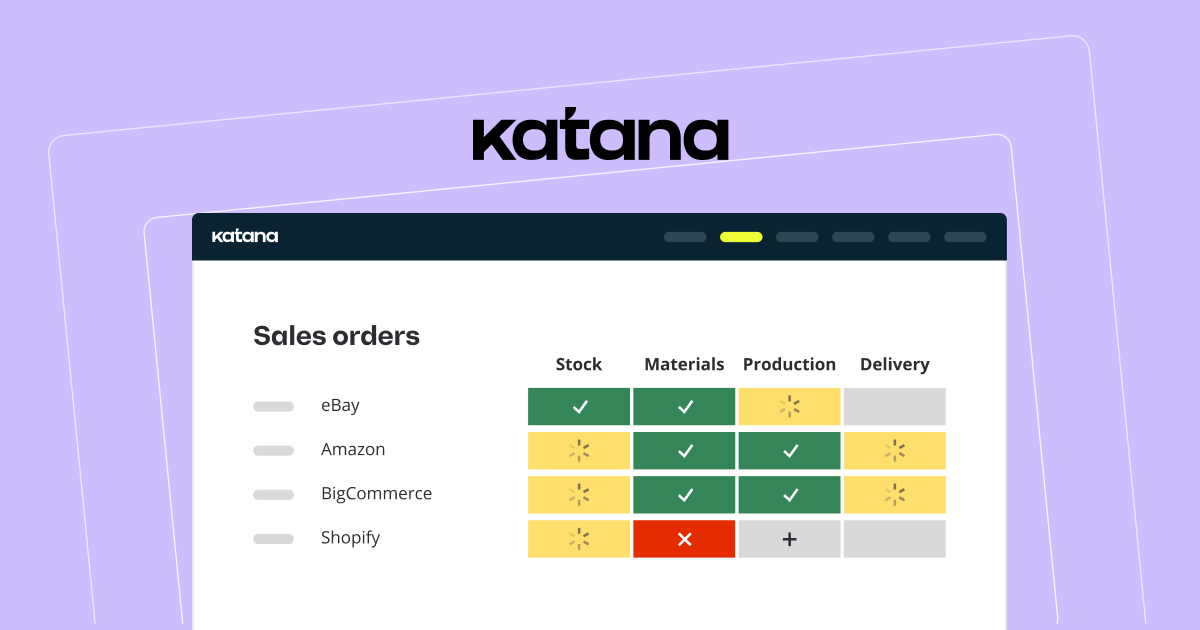
Katana is cloud inventory management software for product businesses. It provides a single system for stock, orders, and production so teams selling across multiple sales channels and locations can maintain shared inventory and order records.
Product in practice
Used by brands that sell on ecommerce marketplaces, web stores, wholesale and retail, Katana shows what is in stock at each site and supports movements between locations. Teams can bring orders from multiple channels into one view and track production progress alongside material availability and finished goods.
Key features
Katana offers functional tools that support everyday operations and reduce manual work. It includes real time inventory across channels and locations, multi channel order synchronization, and lot and serial number traceability. The system also supports barcode enabled warehouse workflows and live demand planning tied to inventory and sales data.
Technology and integrations
Katana is cloud based and connects with common ecommerce and accounting platforms including Shopify, Amazon and WooCommerce. API access is included and available for extending workflows and integrating with other tools. Data migration, integration configuration and tailored training are part of the standard implementation offering.
Why choose Katana?
- One shared system for inventory, orders and production to reduce separate spreadsheets and duplicate records
- Live visibility of stock at every location to support purchasing and fulfillment decisions
- Order sync that brings sales from multiple channels into a single workflow
- Traceability with lot and serial tracking across inventory and production stages
- Guided onboarding options with a dedicated Solutions Engineer and support for workflow mapping and data migration
- API access included to connect Katana with existing tools and automate processes
Ready to evaluate
Explore a free plan or request guided onboarding to see how Katana aligns with your inventory and production operations. The platform supports self serve setup for quick starts and a guided implementation path that typically achieves full inventory visibility in about six weeks for teams that opt for onboarding assistance.
How to apply Katana coupon codes
Step 1: Find your Katana Coupons, discount codes on this page or Urban Man Review and click "GET CODE" button to view the code, then click "Copy" and the coupons, discount codes will be copied to your phone's or computer's clipboard.
Step 2: Go to Katana then select all items you want to buy and add to shopping cart. When finished shopping, go to the Katana checkout page.
Step 3: During checkout, find the text "Promo Code" or "Discount Code" and paste your Katana coupons, discount codes in step 1 to this box. Click "Apply" and your savings for Katana will be applied.
Katana Questions & Answers
| Q: Why should I visit Urban Man Review for Katana coupons? A: Urban Man Review collects the top discounts from Katana, even at the last minute while updating continually to ensure consumer savings. Coupons, promo codes, gift cards and many more can also be found on the website. |
| Q: Where to find Katana promo codes? A: Right on the website of Katana or join Urban Man Review for more options of Katana promo codes. |
| Q: Will all Katana discounts automatically be applied at checkout? A: No. It depends on each Katana deal. Some require you to apply a code at discount field while some are applied automatically. |
| Q: Can you give me a guide for using Katana coupon codes? A: Follow the guide below to score Katana coupon: - Copy the coupon code that fits your order. - Navigate to Katana and add your favorite items into the cart. - Apply code at checkout and enjoy saving. |
| Q: Are there any Katana Gift Cards available? A: If a Katana Gift Card is available, it will be aggregated above. Let’s check! |
| Q: How to use Katana coupon code? A: Visit Katana on Urban Man Review and pick the coupon making your order the biggest saving. Click GET CODE or GET DEAL for code displaying and enjoy the discount. |
| Q: How often does Katana release a new coupon? A: For normal days, there is no specific frequency for Katana coupon releasing, but it tends to give out once per month. On the peak times of shopping, deals and discounts will be constantly launched and much bigger. |
| Q: How to know if an item of Katana is eligible for a coupon? A: Each option of Katana coupons or deals comes with a detailed description for eligible items and the discount rate. Pick the right choice for your order. |
| Q: How long are Katana deals valid? A: Katana will announce how long their promotional program will last. Katana deals will also be valid within that period of time. |
| Q: How are errors about Katana coupons reported? A: Let us know at 'Contact Us'. Describe your problems and the errors about Katana coupons in detail, we will solve it as soon as possible. |
| Q: When to use Katana coupons to save at best? A: Go to Katana and find the time that coupon is applicable. Huge discounts and deals tend to be available in a short period of time, requiring buyers to hurry. Be ready at that time to save at best. |
| Q: How to get Katana free shipping offer? A: Check Katana coupons at Urban Man Review to find a deal of free shipping. Learn the condition for using the offer to make sure your order can meet it. |
| Q: Who to contact if I am having trouble using a Katana coupon? A: That Katana coupon may expire at that moment. Shopping at Katana and then contact its owner to let them know your issue. |
| Q: Can you give me a guide for using Katana coupon codes? A: Follow the guide below to score Katana coupon: - Copy the coupon code that fits your order. - Navigate to Katana and add your favorite items into the cart. - Apply code at checkout and enjoy saving. |
| Q: What is currently the best coupon of Katana? A: As of the latest update, the best coupon of Katana can give customers a discount corresponding to half of their purchase. |
| Q: How do I find Katana coupons? A: Visiting the website of Katana regularly or checking Katana coupons on Urban Man Review is the best and easiest way to score a discount. |
| Q: How to know if the Katana coupon discount was deducted from my
purchase? A: When you apply the coupon or promo code into the discount field at Katana, the discount will be promptly deducted from your purchase. You will see both the amount of discount and the price after being discounted before clicking to finish the order. |
| Q: Does Katana have a loyalty program? A: The loyalty program of Katana will be applicable for regular customers. Thereby, they can redeem Katana awards for promotions, coupons and special sales. |
| Q: Does a sitewide coupon of Katana exist? A: If Katana makes available a sitewide coupon, it will be gathered above. Let's have a look! |
| Q: How many items can I include with a Katana discount code? A: Usually, Katana doesn't limit the number of items customers have to buy to enjoy discounts. However, they will lay down conditions on the value of your order to be eligible for applying discount codes of Katana. |