
Grammarly: Free AI Writing Assistance: Overview
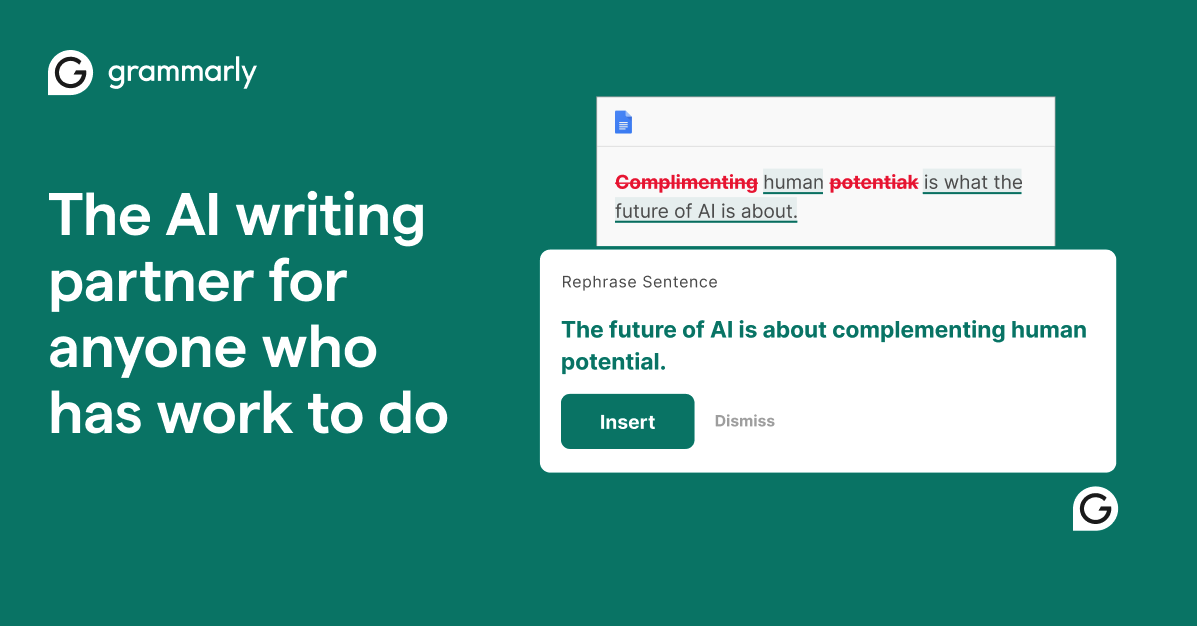
Grammarly: Free AI Writing Assistance Deal
Grammarly: Free AI Writing Assistance Deal
Grammarly: Free AI Writing Assistance
About Grammarly: Free AI Writing Assistance
Grammarly makes AI writing convenient. Work smarter with personalized AI guidance and text generation on any app or website.
Grammarly Review — Worth it? Best for Clear, Professional Writing
The problem: You write emails, reports, or social posts, but you worry about tone, clarity, and embarrassing grammar mistakes. Drafts take too long to polish, and you want fast, reliable editing that works across apps. Grammarly (by Grammarly) promises AI-powered writing assistance that fills that gap — but is it worth the cost and the daily use?
Quick summary
- What it is: An AI writing assistant (browser extension, desktop apps, and web editor) focused on grammar, clarity, tone, and generative suggestions.
- Strength: Real-time corrections, strong tone and clarity suggestions, browser-wide integration.
- Consider: Subscription cost for Pro/Plus features; occasional over-suggestions for creative or technical copy.
Material & Quality (Specifications)
For a software product, “material” translates to platform support, security, and feature set. Grammarly scores high in each category:
- Platforms: Browser extensions (Chrome, Safari, Edge), desktop apps (Windows, macOS), Microsoft Office add-ins, web editor, and mobile keyboard. Works across most major apps and websites.
- Core tech: Generative AI plus traditional grammar and style rules. Real-time inline suggestions and a separate editor for deeper revisions.
- Privacy & security: Company states it does not sell or monetize user content and restricts third-party model training on customer text (see their Responsible AI statements).
- Plans & pricing:
- Free: Basic grammar, tone detection, and 100 AI prompt generations (limited).
- Pro: Advanced rewrites, tone adjustments, brand consistency, and up to ~2,000 AI prompts (pricing examples: about $30/mo monthly, ~$144/yr annual plan—regional pricing may vary).
- Enterprise/Plus: Team features, admin controls, confidential mode, data loss prevention, and dedicated support.
- Quality of suggestions: Generally helpful and context-aware. High accuracy for grammar, capitalization, punctuation, and common clarity improvements. Tone and style suggestions are useful for professional contexts.
Real‑world Experience — Pros & Cons
Pros
- Instant confidence: Real-time inline corrections reduce typos and simple grammatical errors without interrupting flow.
- Tone guidance: Helpful indicators when an email sounds too casual or too abrupt — especially valuable for business messages and client communications.
- Cross-app coverage: Works in Gmail, Google Docs (via extension or web app), Slack, LinkedIn, and most text entry fields — you get consistent suggestions across tools.
- Rewrite features: One-click sentence rewrites and concise rephrasings save time when you need different phrasing quickly.
- Generative AI: Prompts and text generation speed up drafting (subject lines, outlines, short answers).
- Team features (Enterprise): Style guides, brand voice alignment, and admin controls for consistent writing across teams.
Cons
- Subscription cost: The Free plan is useful, but Pro-level features require a paid subscription which can feel pricey for casual users.
- Over-correction: For creative or technical writing, suggestions sometimes prioritize concision or “corporate” tone over nuance — manual judgment is still necessary.
- Generative limits: AI prompts are helpful but not a full-content engine; long-form creative work still needs human editing.
- Occasional false positives: Advanced grammar edge cases can trigger unnecessary corrections.
Quick comparison with competitors
Here’s a brief side-by-side look with two common alternatives.
| Feature | Grammarly (Pro) | ProWritingAid | Hemingway App |
|---|---|---|---|
| Grammar & Spelling | Excellent, real-time | Strong, in-depth reports | Basic (focus on readability) |
| Rewrite / Generative AI | Yes — prompts & rewrites | Limited generation, strong editing tools | No (manual editing) |
| Tone & Clarity | Built-in tone detection | Detailed stylistic feedback | Readability highlights only |
| Best for | Everyday professionals, teams | Authors, long-form writers, editors | Short-form clarity and readability |
Who should buy Grammarly?
- Busy professionals: If you send frequent emails, proposals, or client messages and need to look polished quickly.
- Small teams & startups: To keep brand voice and tone consistent without a full-time editor.
- Students & job seekers: For resume polish, cover letters, and clearer academic writing (Free plan helps; Pro adds stylistic features).
- Non-native English writers: Offers reliable grammar fixes plus tone guidance to sound natural.
- Less ideal for: Writers who prefer a hands-off creative flow and dislike algorithmic rephrasing — you’ll need to ignore some suggestions.
“In daily use, Grammarly feels like a second set of eyes — especially for fast, professional communication. It saves time and reduces embarrassing errors, while its paid features help shape consistent tone.” — Product Reviewer
Final verdict — Worth it?
Short answer: Yes, for most professionals and teams. Grammarly offers excellent everyday value: cross-app coverage, accurate grammar, helpful tone guidance, and practical rewrite tools. The Free plan is useful; Pro or Plus is worth it if you need frequent rewrites, stronger style controls, or team features.
When to pick it
- If you write several business emails, reports, or social posts each day — choose Grammarly Pro/Plus.
- If you mostly write long-form creative fiction — consider alternatives or use Grammarly selectively to avoid over-editing voice.
Special offer — a gentle reminder
If you found this review helpful, note that readers who purchase Grammarly through our store may qualify for an exclusive discount or special offer. Check our store page for the latest promo code and details before you buy — a small code can make the Pro/Plus upgrade even easier to justify.
How to get started
- Try the Free plan first to see real-time suggestions in your browser.
- Test a Pro monthly subscription if you need advanced rewrites and brand controls; upgrade to annual if you keep it.
- For teams, request an Enterprise demo to evaluate admin and security features.
Bottom line: Grammarly is a reliable, polished AI writing assistant that accelerates everyday writing and improves clarity. It’s a solid purchase for professionals who value fast, consistent, and confident communication.