
PicWish AI Photo Editor Review — Worth it?
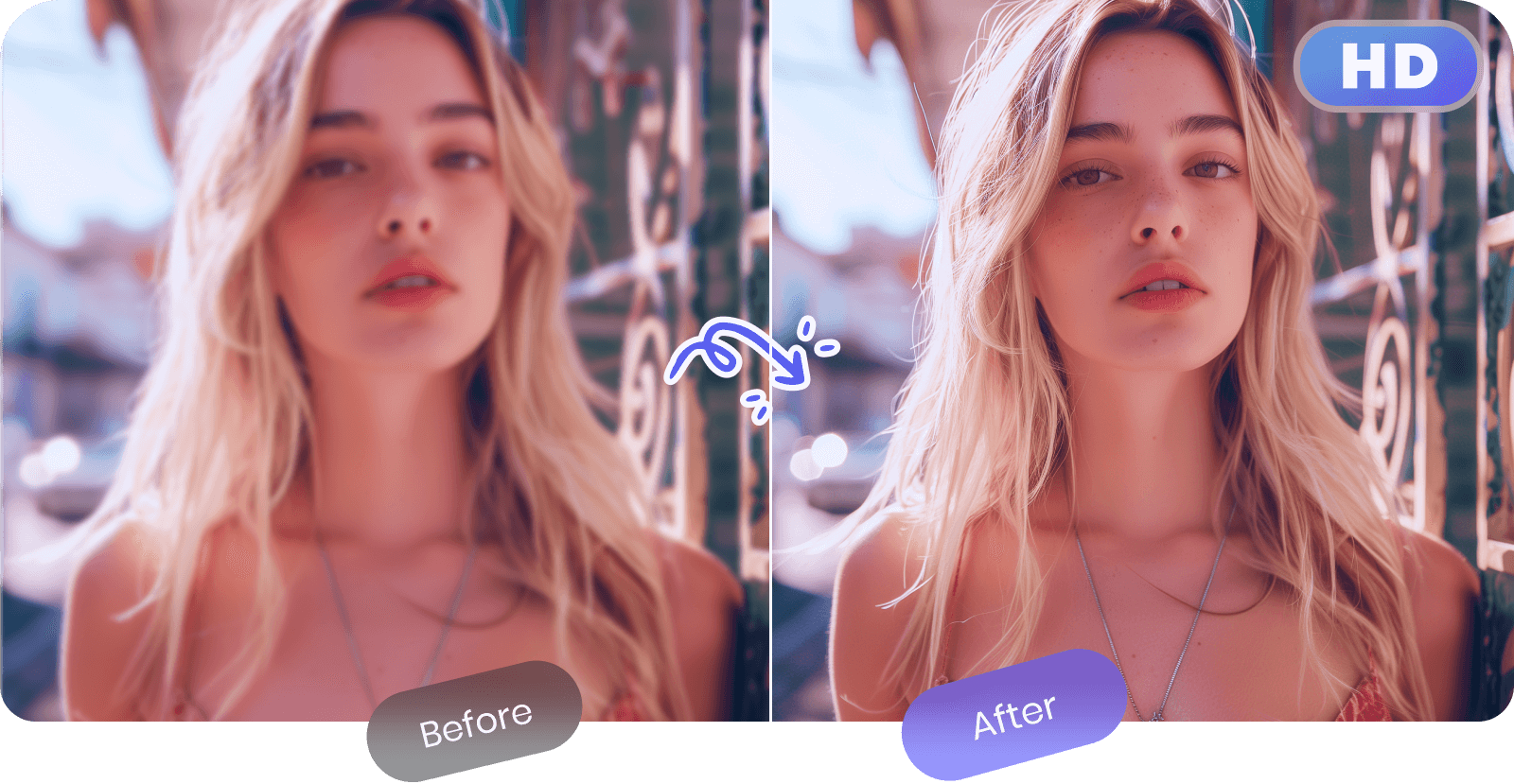
If you regularly need quick image fixes — removing backgrounds, touching up product shots, or unblurring a photo — the time cost of learning a full desktop editor or outsourcing to a designer can be significant. PicWish AI Photo Editor promises one-click AI edits, a simple web interface, and a free tier to handle those common tasks without a steep learning curve. This review walks through what it does well, where it stumbles, and who should consider it.
Why PicWish is a plausible solution
PicWish is built around automated AI tools that target everyday photo tasks: background removal, image unblur, image enhancement, and quick retouching. Instead of a complicated layer-based editor, PicWish offers guided, single-purpose tools that get you from upload to usable image fast — which is exactly what many small business owners, online sellers, and casual creators need.
What problems it addresses
- Fast background removal for product photos and profile images.
- Simple image enhancement when you don’t want to tinker with sliders.
- Batch edits to speed up processing of multiple files.
- Accessible web-based workflow — no heavy software installs.
Specifications & Materials (Material & Quality)
As a web-based app, PicWish’s “materials” are its algorithms, UI design, supported file formats, and export options. Key points:
- Platform: Web browser (no desktop client required). Works across major browsers.
- Core algorithms: AI-driven background removal, unblur, and enhancement models. Results vary by image complexity.
- Supported formats: Common raster formats (JPG, PNG). Exports typically include transparent PNG for background-removed images.
- Batch processing: Available — useful for multiple product shots.
- Output quality: Clean edge detection for many subjects; performance on fine hair, semi-transparent objects, or complex backgrounds can be mixed.
- Privacy & uploads: Images are processed in the cloud. Users concerned with sensitive material should review the service’s privacy policy before uploading.
Real-world experience — Pros & Cons
Pros
- Speed: Background removal and basic enhancements complete in seconds for single images. Batch jobs are reasonably fast.
- Ease of use: Minimal learning curve—clear, focused tools instead of a cluttered interface. Good for non-designers.
- Consistent results for typical subjects: Product shots with clear subject/background separation work very well straight out of the box.
- Free tier available: Useful for occasional users who need quick fixes without committing to a paid plan.
- Quick export options: Simple export flow to PNG/JPG makes using edited images in shops or social media fast.
Cons
- Edge cases challenge AI: Fine hair, fur, glass reflections, or complex semi-transparent backgrounds sometimes require manual cleanup.
- Limited manual edits: For users who want fine-grained control (mask painting, layer adjustments), PicWish is intentionally lightweight and may feel restrictive.
- Cloud processing: Requires uploads and internet connection; large batches may take time depending on connection speed.
- Feature depth: Not a replacement for full photo editors (Photoshop, Affinity Photo) when advanced compositing or color grading is needed.
In routine tests, PicWish delivered fast, clean background removals for standard product photos and useful one-click enhancements. For very detailed masking or creative edits, you’ll still want a more advanced tool.
🎁 Unlock Coupons & Deals View all available discount codes
Quick comparison: PicWish vs Competitors
| Feature | PicWish | remove.bg | Canva (Pro) |
| Primary strength | Fast, simple AI edits & batch background removal | Background removal accuracy and hair handling | All-in-one design + editor with templates |
| Ease of use | Very simple, task-focused | Simple, focused, slightly more configurable | Simple editing but broader feature set |
| Best for | E-commerce sellers, casual creators | Photographers and sellers needing precise masking | Social and marketing creatives who need templates |
Short takeaway: If you only need dependable background removal and quick enhancements, PicWish is a convenient and often less expensive option than a full design suite. If you need pin-point masking for complex hair or advanced compositing, remove.bg or desktop tools will sometimes produce better results. If you want design templates, Canva offers more creative flexibility beyond pure editing.
Target audience — Who should use PicWish?
- Small e-commerce sellers who need clean product images quickly.
- Social media creators and influencers needing fast image touchups.
- Busy people who want simple, reliable edits without learning complex software.
- Anyone looking to batch-process many images without deep photo-editing skills.
Pricing & Plans
PicWish offers a free tier for occasional use and paid plans for higher-volume or premium features. Pricing is listed in USD at checkout and there are both monthly and annual options available. If you expect to process many images, consider a paid plan to unlock batch limits and higher export counts.
Final verdict
PicWish AI Photo Editor is worth considering if you want a fast, approachable web tool that solves common image tasks without complexity. It’s especially good for product photos and bulk jobs where speed and simplicity matter more than advanced manual control. For high-end retouching or tricky masking work, pair it with a more powerful editor or specialized masking tool.
Bottom line
- Great for: e-commerce sellers, casual creators, and anyone needing fast background removal.
- Not ideal for: advanced retouchers and users who require pixel-level control.
Considering picking it up? There are often discount codes and special offers available when you purchase through my store — check the store offers at checkout to see current savings.