
Transkriptor Review — Worth it? A Practical Look at the AI Transcription Tool
Introduction — the problem and the promise
Transcribing audio and video is tedious and time-consuming. Whether you’re turning meeting recordings into searchable notes, creating captions for video, or archiving interviews, manual transcription eats hours from your schedule. Transkriptor pitches itself as a fast, AI-powered way to convert audio to text in 100+ languages, promising instant results and a simple editing workflow. This review looks at whether Transkriptor actually saves time, keeps accuracy high, and fits real-world needs.
Specifications / Materials (Material & Quality)
- Core technology: AI-powered automatic speech recognition (ASR).
- Language support: Over 100 languages and dialects (per developer information).
- Input types: Designed for meetings, audio recordings, and video files.
- Output: Instant transcription to editable text; typical export options include caption and text formats.
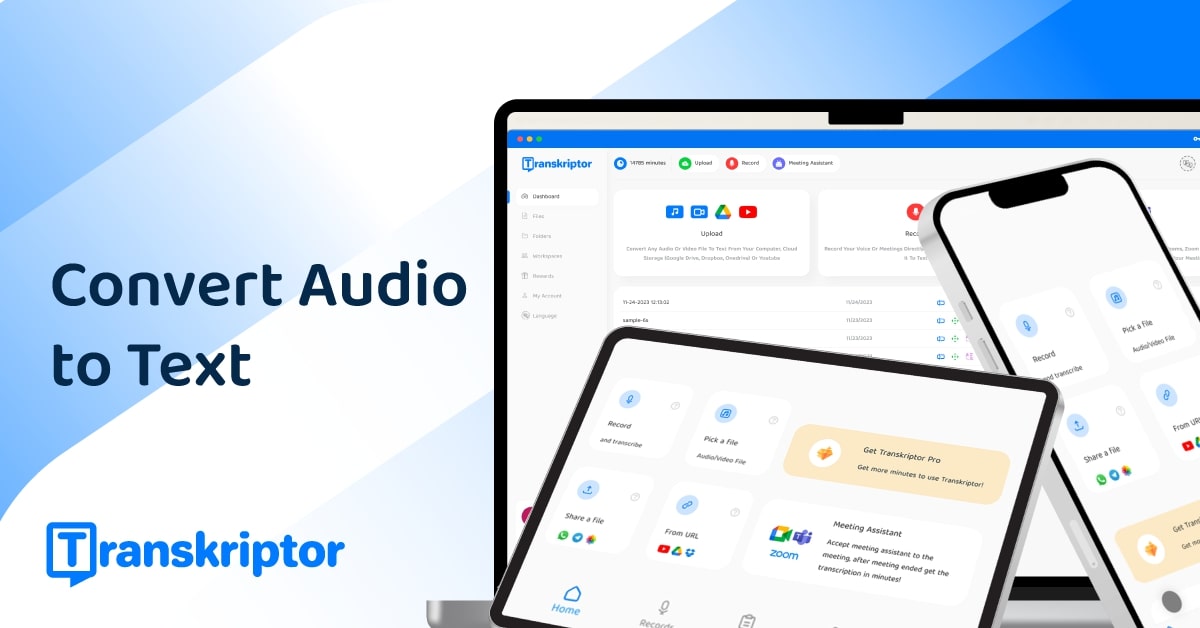
- Interface quality: Web-based editor with playback controls, timestamps, and basic editing tools.
- Privacy & security: SaaS model — uploads processed in the cloud. (Check provider documentation for detailed compliance and storage policies.)
- Free tier: Free trial available to test the service before committing.
Real-world experience — Pros & Cons
What I liked (Pros)
- Speed: Transcriptions are returned very quickly. For short interviews and meeting clips, it’s effectively instant.
- Language coverage: Support for 100+ languages is a clear advantage for international teams and multilingual projects.
- Usable editor: The built-in editor makes correcting timestamps, speaker labels, and typos straightforward — you can edit while listening without juggling multiple tools.
- Convenience: Uploading audio or video is simple, and the workflow (upload → transcribe → edit → export) is logical and easy to follow.
- Trial availability: A free trial lets you validate accuracy and features with your own recordings before buying.
What I didn’t like (Cons)
- Accuracy varies with audio quality: Like all ASR tools, accuracy drops when audio has overlapping speakers, strong accents, background noise, or low bitrate recordings. Expect to do manual corrections in non-ideal conditions.
- Speaker diarization limitations: Identifying multiple speakers is decent for clear, separated voices but can misattribute when participants talk over one another.
- Privacy questions for sensitive data: Because uploads are processed in the cloud, organizations with strict data rules should verify security, retention, and compliance details before using Transkriptor for confidential material.
- Feature depth vs. specialized competitors: If you need advanced collaboration features (live captions in conferencing apps) or integrated audio editing beyond basic correction, other tools may offer deeper functionality.
🎁 Unlock Coupons & Deals View all available discount codesIn everyday use Transkriptor strikes a good balance — fast, flexible, and accurate enough for most non-critical transcription tasks. Expect to proofread when audio isn’t pristine.
Quick comparison with competitors
Transkriptor vs. Otter.ai
- Strengths of Transkriptor: Broad language support and fast processing for uploaded audio/video.
- Strengths of Otter.ai: Strong live meeting integrations (Zoom), collaborative notes, and a focus on team workflows.
- Which to choose: Choose Transkriptor if you need one-off fast transcriptions in many languages and a simple editor. Pick Otter if you want live captioning and team collaboration baked into meetings.
Transkriptor vs. Rev (AI & human)
- Strengths of Transkriptor: Instant AI transcriptions at scale and wide language support.
- Strengths of Rev: Professional human transcription option for near-perfect accuracy (at higher cost and slower turnaround).
- Which to choose: Use Transkriptor for fast, cost-effective AI transcripts you can edit yourself. Use Rev’s human service when accuracy must be near 100% (legal transcripts, published quotes, etc.).
Who this is best for
- Busy professionals who need quick searchable notes from meetings and interviews.
- Podcasters and content creators who want fast first-draft transcripts for show notes and captions.
- Researchers and journalists handling recordings in multiple languages.
- Small teams that need a simple transcription workflow without heavy collaboration features.
Final verdict
Transkriptor is a capable, fast AI transcription tool that genuinely eases the pain of turning audio/video into editable text. Its language support and speed are standout benefits. Accuracy is competitive with most automated services, though like any ASR solution it depends heavily on audio quality. If you need instant results, support for many languages, and a clean editor to finish the job, Transkriptor is worth trying.
If you want to test it risk-free, there’s a free trial available to evaluate accuracy with your own files. Also, check my store for available discount codes and special offers when purchasing Transkriptor — those promotions can make the professional tiers easier to justify.
Quick checklist before you buy
- Try the free trial with your typical recordings to judge accuracy.
- Confirm export formats you need (captions, transcripts) are supported.
- Review privacy and retention policies if you handle sensitive content.
- Look for discount codes or special offers through my store to save on upgrades.