

cleanemail
0 Coupons, 0 Verified Coupons








cleanemail Coupons and Promo Codes
Clean Email Review: Worth it?
We all know the problem: an overflowing inbox, dozens or hundreds of unread messages, and precious time lost to deleting, archiving, and hunting for the emails that matter. Clean Email promises to take that clutter off your hands with bulk actions, smart rules, and automated inbox maintenance. In this review I look at how well it delivers on that promise and whether it’s worth adding to your workflow.
Why Clean Email is a solution
If you struggle with promotional overload, mailing lists you don’t remember subscribing to, or a daily inbox that fills faster than you can process it, Clean Email addresses the root causes:
- Bulk sorting and one-click actions for thousands of messages.
- Smart Views that surface subscriptions, social updates, notifications, and large attachments.
- Automations to keep your mailbox tidy over time (scheduled cleanup, auto-archive, unsubscribe).
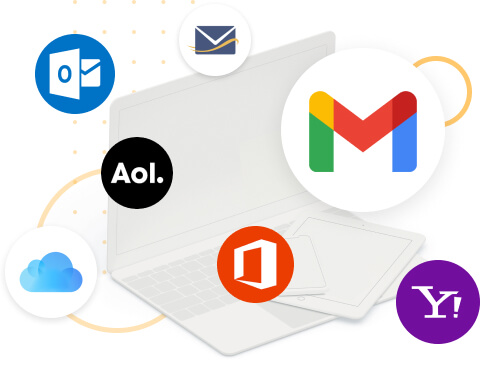
- Support for multiple email providers without moving your mail or changing your email client.
Specifications / Materials (Material & Quality)
| Product | Clean Email (Inbox organizer) |
| Platforms | Web app; native apps for iOS and Android |
| Supported Providers | Gmail, Outlook, Yahoo, iCloud, IMAP/Exchange-compatible accounts |
| Security | OAuth-based access for major providers; data encryption in transit; no need to store passwords locally |
| Key Features | Smart Views, Auto Clean rules, Unsubscribe, Block/Whitelist, One-click bulk actions, Scheduled cleanups, Fast search |
| Quality / UI | Clean, modern interface; responsive web UI; simple onboarding and guided suggestions |
Real-world experience — Pros & Cons
What I liked (Pros)
- Fast bulk actions: Selecting thousands of messages and archiving or deleting them is straightforward and much faster than doing it in an email client.
- Smart Views are genuinely useful: The app groups subscriptions, social notifications, unread messages, and large attachments in ways that mirror how I think about my inbox.
- Automations save time: Auto Clean and rules reduce daily maintenance. Once you set priorities, Clean Email keeps things tidy without micromanagement.
- Works across providers: Managing Gmail and an IMAP work account from one dashboard is convenient, especially for people with multiple addresses.
- Privacy-conscious approach: Uses OAuth for major providers and emphasizes that it doesn’t read message content except to classify for cleanup, which aligns with expectations for a tool handling personal email.
- Undo & preview: Actions are reversible for a short time and you can preview affected messages before committing, which reduces anxiety about mass deletions.
Where it falls short (Cons)
- Learning curve: Power features like rules and nested automations take a little time to understand; non-technical users may need the guided help to get full value.
- API limits and delays: For very large mailboxes (tens of thousands of messages), some operations can be throttled by email providers, causing pauses or retries.
- Subscription model: It’s a paid product, and frequent users will want a subscription to access recurring automation—occasional cleaners may balk at ongoing fees.
- Label vs. folder differences: Cleaning behavior can vary by provider (Gmail labels vs. true folders), so you may need to confirm where messages end up after actions.
- Multi-account quirks: Handling several accounts works well overall, but switching contexts occasionally requires reauthorization or a refresh, especially with strict corporate email setups.
In practice Clean Email turns a two-hour inbox purge into a 15–30 minute session, and the recurring rules keep things from backsliding.
Quick comparison with competitors
Clean Email vs. Mailstrom
- Mailstrom focuses heavily on visualization (e.g., sender graphs) and sorting by attributes; it’s powerful for one-off purges on very large inboxes. Clean Email is stronger on ongoing automation and scheduled maintenance.
- Mailstrom can feel more manual and data-heavy; Clean Email emphasizes ease-of-use and recurring rules.
Clean Email vs. Unroll.Me
- Unroll.Me offers a free unsubscribe roll-up but has faced privacy concerns in the past around data monetization. Clean Email positions itself as more privacy-forward and feature-rich beyond simple roll-ups.
- If you want simple unsubscribe batching, Unroll.Me is a quick option; for long-term inbox management and automation, Clean Email is generally more capable.
Who is this best for?
- Busy professionals who need a lightweight way to keep multiple inboxes under control.
- People subscribed to many newsletters and promo lists who want a one-time purge and ongoing automatic maintenance.
- Users who prefer a web-based tool that doesn’t require changing email clients or migrating mail.
- Anyone who values a balance of automation and control—people who want to set rules and forget them, but still preview and undo actions.
Bottom line
Clean Email is a well-designed inbox management tool that excels at reducing clutter and keeping a mailbox manageable over time. It’s not a deep analytics or enterprise email governance platform, but for individuals and small teams who want to reclaim time and reduce notification overload, it delivers tangible benefits. The onboarding and Smart Views make it especially approachable for users who don’t want to dive into complex filters or scripting.
Considering it? If you’re dealing with daily inbox chaos or want an ongoing way to keep newsletters and promos from piling up, Clean Email is worth a try. There are discount codes and special offers available when purchasing through my store—check current promotions before subscribing to save on your first period.
About store
Clean Email — Email cleaning made easy
Organize and remove emails you don’t need with a practical bulk email cleaner. Clean Email helps you unsubscribe, clean in bulk, and keep your inbox organized across devices.
Brand overview
Clean Email began nearly ten years ago to address common inbox challenges. The service has grown to serve millions of users while keeping a clear focus on user privacy and straightforward email management. Data is not shared or sold, and encrypted account access details are not available to anyone.
Product and lifestyle
Clean Email is designed for everyday inbox maintenance. Use it to unsubscribe from unwanted messages, group and remove large volumes of mail, and organize incoming messages into manageable sets. The service works on desktop, laptop, phone, and tablet, and connects directly to your mailbox to work alongside the email apps you already use. New users can access 1,000 free cleanups and a 14-day trial of advanced features with no credit card required.
Key features
- Bulk cleaning to remove large groups of unwanted messages
- Unsubscribe tools for newsletters and recurring senders
- Organization tools to group and sort incoming mail
- Works on all devices and email providers by connecting directly to your mailbox
- 1,000 free cleanups and a 14-day trial of advanced features
Technology and design
The service connects directly to your mailbox and is designed to work alongside the email applications you already use. Account access is encrypted, and the design prioritizes straightforward workflows for bulk actions, unsubscribe management, and inbox organization.
Why Choose Clean Email?
- Privacy-focused approach: data is not shared or sold
- Time savings through bulk cleaning and automated grouping
- Cross-device compatibility for desktop, laptop, phone, and tablet
- Simple setup that works with any email provider and most email apps
- Mentioned by major publications such as The Wall Street Journal and Forbes
Get started
Begin with 1,000 free cleanups or start a 14-day trial of advanced features to evaluate inbox cleaning and organization. Choose your email provider to begin cleaning and regain control of your inbox.
How to apply cleanemail coupon codes
Step 1: Find your cleanemail Coupons, discount codes on this page or Urban Man Review and click "GET CODE" button to view the code, then click "Copy" and the coupons, discount codes will be copied to your phone's or computer's clipboard.
Step 2: Go to cleanemail then select all items you want to buy and add to shopping cart. When finished shopping, go to the cleanemail checkout page.
Step 3: During checkout, find the text "Promo Code" or "Discount Code" and paste your cleanemail coupons, discount codes in step 1 to this box. Click "Apply" and your savings for cleanemail will be applied.
cleanemail Questions & Answers
| Q: Why should I visit Urban Man Review for cleanemail coupons? A: Urban Man Review collects the top discounts from cleanemail, even at the last minute while updating continually to ensure consumer savings. Coupons, promo codes, gift cards and many more can also be found on the website. |
| Q: Where to find cleanemail promo codes? A: Right on the website of cleanemail or join Urban Man Review for more options of cleanemail promo codes. |
| Q: Will all cleanemail discounts automatically be applied at checkout? A: No. It depends on each cleanemail deal. Some require you to apply a code at discount field while some are applied automatically. |
| Q: Can you give me a guide for using cleanemail coupon codes? A: Follow the guide below to score cleanemail coupon: - Copy the coupon code that fits your order. - Navigate to cleanemail and add your favorite items into the cart. - Apply code at checkout and enjoy saving. |
| Q: Are there any cleanemail Gift Cards available? A: If a cleanemail Gift Card is available, it will be aggregated above. Let’s check! |
| Q: How to use cleanemail coupon code? A: Visit cleanemail on Urban Man Review and pick the coupon making your order the biggest saving. Click GET CODE or GET DEAL for code displaying and enjoy the discount. |
| Q: How often does cleanemail release a new coupon? A: For normal days, there is no specific frequency for cleanemail coupon releasing, but it tends to give out once per month. On the peak times of shopping, deals and discounts will be constantly launched and much bigger. |
| Q: How to know if an item of cleanemail is eligible for a coupon? A: Each option of cleanemail coupons or deals comes with a detailed description for eligible items and the discount rate. Pick the right choice for your order. |
| Q: How long are cleanemail deals valid? A: cleanemail will announce how long their promotional program will last. cleanemail deals will also be valid within that period of time. |
| Q: How are errors about cleanemail coupons reported? A: Let us know at 'Contact Us'. Describe your problems and the errors about cleanemail coupons in detail, we will solve it as soon as possible. |
| Q: When to use cleanemail coupons to save at best? A: Go to cleanemail and find the time that coupon is applicable. Huge discounts and deals tend to be available in a short period of time, requiring buyers to hurry. Be ready at that time to save at best. |
| Q: How to get cleanemail free shipping offer? A: Check cleanemail coupons at Urban Man Review to find a deal of free shipping. Learn the condition for using the offer to make sure your order can meet it. |
| Q: Who to contact if I am having trouble using a cleanemail coupon? A: That cleanemail coupon may expire at that moment. Shopping at cleanemail and then contact its owner to let them know your issue. |
| Q: Can you give me a guide for using cleanemail coupon codes? A: Follow the guide below to score cleanemail coupon: - Copy the coupon code that fits your order. - Navigate to cleanemail and add your favorite items into the cart. - Apply code at checkout and enjoy saving. |
| Q: What is currently the best coupon of cleanemail? A: As of the latest update, the best coupon of cleanemail can give customers a discount corresponding to half of their purchase. |
| Q: How do I find cleanemail coupons? A: Visiting the website of cleanemail regularly or checking cleanemail coupons on Urban Man Review is the best and easiest way to score a discount. |
| Q: How to know if the cleanemail coupon discount was deducted from my
purchase? A: When you apply the coupon or promo code into the discount field at cleanemail, the discount will be promptly deducted from your purchase. You will see both the amount of discount and the price after being discounted before clicking to finish the order. |
| Q: Does cleanemail have a loyalty program? A: The loyalty program of cleanemail will be applicable for regular customers. Thereby, they can redeem cleanemail awards for promotions, coupons and special sales. |
| Q: Does a sitewide coupon of cleanemail exist? A: If cleanemail makes available a sitewide coupon, it will be gathered above. Let's have a look! |
| Q: How many items can I include with a cleanemail discount code? A: Usually, cleanemail doesn't limit the number of items customers have to buy to enjoy discounts. However, they will lay down conditions on the value of your order to be eligible for applying discount codes of cleanemail. |