

Social Media Scheduler That Saves You Hours | Hopper HQ: What to Know
Hopper HQ
About Hopper HQ
Plan a week of social posts in 10 minutes. Schedule to Instagram, TikTok, LinkedIn, Facebook, YouTube, X and Pinterest. Start your free 14-day trial.
Hopper HQ Review — Worth it?

Introduction — the problem it solves
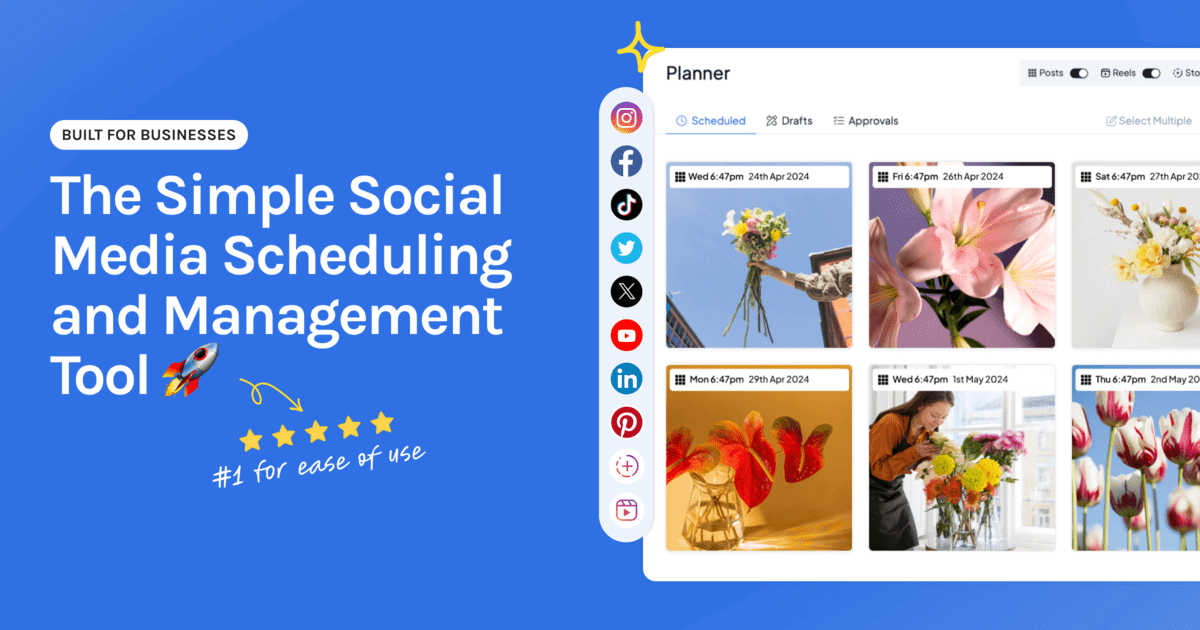
Posting consistently across multiple social platforms is time-consuming and error-prone. Many creators and small teams find themselves copying captions, resizing images, and juggling native apps just to keep a content schedule on track. Hopper HQ positions itself as a time-saver: a visual social media scheduler that lets you plan, queue and auto-post across Instagram, TikTok, LinkedIn, Facebook, YouTube, X and Pinterest from one place.
Specifications & Materials (Product quality and build)
- Type: Cloud-based social media management tool (SaaS).
- Platforms supported: Instagram, TikTok, LinkedIn, Facebook, YouTube, X, Pinterest (direct scheduling where platform APIs allow).
- Core features: Visual content calendar, drag-and-drop planner, bulk upload, grid preview for Instagram, caption scheduling, basic analytics, multi-account management and team collaboration tools.
- Interface & UX: Web-first app with a clear, visually oriented UI designed for calendar and grid planning.
- Reliability & performance: Generally stable; performance depends on platform API limits and internet connection. Media uploads retain quality when following recommended specs.
Real-world experience — Pros & Cons
Pros
- Time savings: The visual calendar and bulk upload tools meaningfully reduce the time needed to plan a week's worth of posts. For me, a single 20–30 minute session replaced several scattered posting tasks.
- Visual planning: The Instagram grid preview and drag-and-drop calendar make it easy to maintain a cohesive feed aesthetic without toggling between apps.
- Multi-platform convenience: Managing multiple channels from one dashboard cuts down on repetitive caption and media handling.
- Simple team workflow: Adding team members and assigning accounts is straightforward for small teams and freelancers working with clients.
- Good media handling: Images and short videos upload quickly and the platform preserves visual quality when you follow the suggested specs.
Cons
- Advanced analytics limited: Reporting and insights are useful for day-to-day optimization but lack the depth of enterprise-grade analytics tools.
- Occasional API friction: Posting behavior and feature availability depend on each social platform’s API rules. You may occasionally see upload failures or feature delays after platform changes.
- Mobile usability: The desktop/web experience is stronger than the mobile experience — if you do most scheduling on your phone, you might find the workflow a little constrained.
- Learning curve for teams: New users can pick it up quickly, but teams with advanced needs (complex approval workflows, deep reporting) will need time to adapt or look elsewhere.
Quick comparison — how Hopper HQ stacks up
| Feature | Hopper HQ | Later | Buffer |
| Visual planner / Instagram grid | Strong — drag & drop grid preview | Very strong — focused on visual planning | Basic — calendar-first approach |
| Multi-platform scheduling | Instagram, TikTok, LinkedIn, FB, YouTube, X, Pinterest | Similar platform support, strong IG features | Focused on posting simplicity across major networks |
| Analytics & reporting | Good for performance basics | Useful insights and linkin.bio analytics | Simple reporting, add-ons for more depth |
| Best for | Creators and small teams focused on visual feeds | Influencers and brands with strong IG focus | Individuals and small teams wanting simple scheduling |
Who should consider Hopper HQ?
- Content creators and influencers who prioritize a consistent Instagram aesthetic and want a visual planner.
- Small businesses and solopreneurs who need reliable multi-platform scheduling without a steep learning curve.
- Social media managers and small agencies handling several client accounts and needing a straightforward collaboration workflow.
- eCommerce and lifestyle brands that post image-first content and want to batch plan posts efficiently.
Final verdict
If your priority is saving time while maintaining a strong visual feed across multiple networks, Hopper HQ is worth trying. It’s especially effective for creators and small teams who plan content in batches and need a simple, visually driven workflow. The trade-offs are predictable: reporting isn’t enterprise-grade and mobile workflows aren’t as polished as the web app. For most users looking to streamline posting and keep a cohesive feed, Hopper HQ hits the sweet spot between usability and functionality.
Tip: Hopper HQ offers a free 14-day trial so you can test features with your own content before committing.
Call to action
Ready to try it? Start with the 14-day free trial to see how Hopper HQ fits your workflow. If you decide to subscribe, check my store for exclusive discount codes and special offers that can reduce your first billing cycle.