
Meta Box Deal
Meta Box Deal
Meta Box
About Meta Box
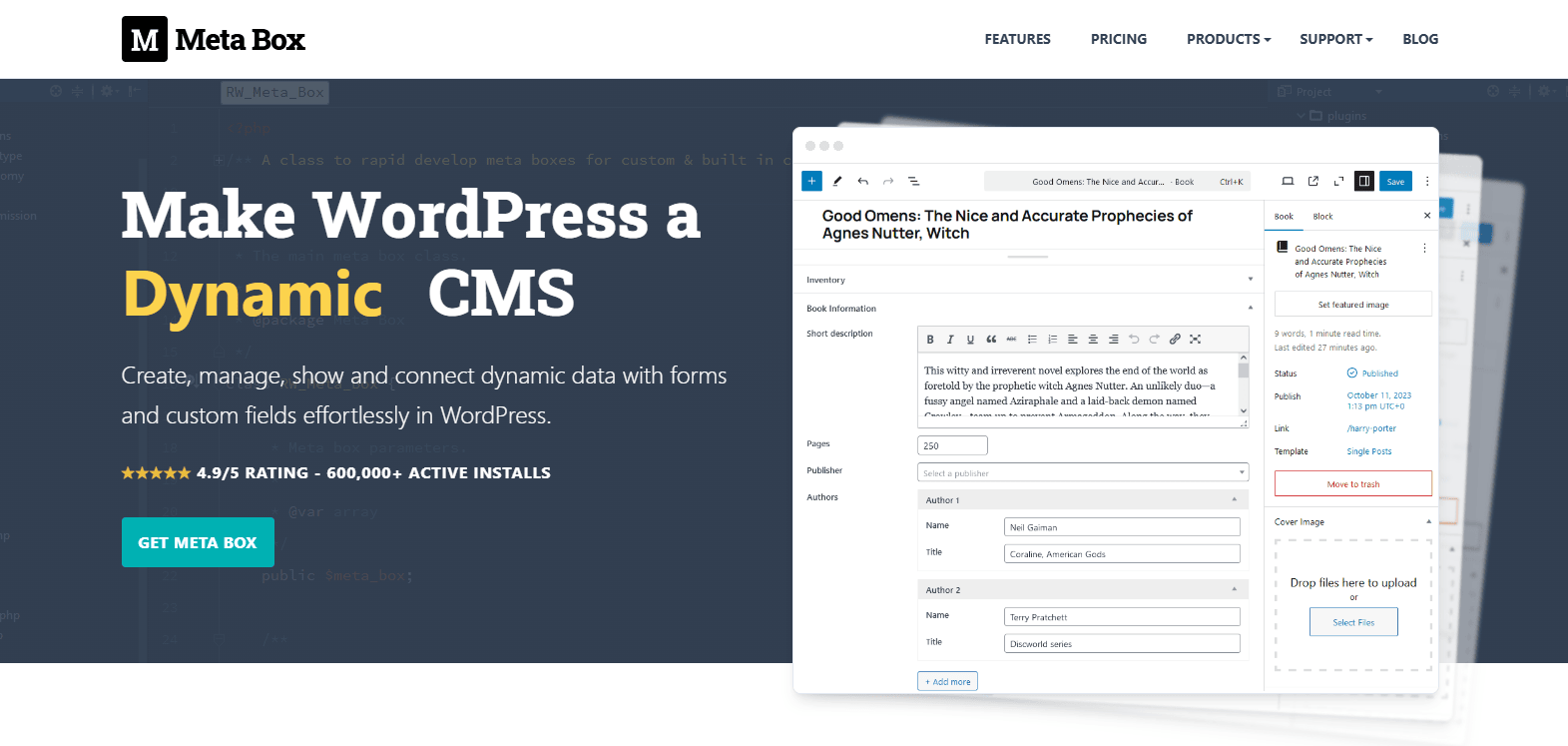
The most powerful & comprehensive plugin to create, manage, show and connect dynamic data with forms and custom fields effortlessly on WordPress.
Meta Box Review — The WordPress Plugin for Custom Fields and Dynamic Data

If you’ve ever struggled to store, display, or manage structured content in WordPress, you know how fast a project can become messy. Meta Box aims to solve that by turning custom fields and meta boxes into a fast, reliable, and developer-friendly system. In this review I test the plugin’s core features, performance, and real-world usefulness so you can decide whether Meta Box is the right custom fields plugin for your WordPress site.
What is Meta Box?
Meta Box is a WordPress plugin and framework for creating, managing, and showing custom fields and meta boxes. It’s designed for developers and site builders who need a flexible way to handle dynamic data — from simple extra fields on posts to complex, repeatable content types and frontend forms.
Unlike page builder–centric solutions, Meta Box focuses on clean data structures, performance, and extensibility. It works well with themes, custom templates, and headless or REST-driven WordPress setups.
Why choose Meta Box?
- Built for developers and agencies that need reliable custom fields and meta boxes.
- Optimized for performance — minimal overhead on the front end and admin screens.
- Extensible via official extensions for forms, relationships, repeatable groups, and more.
- Works with WordPress REST API and modern workflows for headless CMS projects.
Key features and real-world benefits
1. Flexible custom fields
Meta Box supports dozens of field types: text, textarea, checkbox, select, date, file, and advanced types like relationship and post type fields. You can register fields with code or use the plugin’s UI to create field groups.
- Benefit: Capture any structured information (product specs, directory entries, event details) without bloating content.
- Real-world: A real estate site can store address, price, floor plans, and images as structured data that’s easy to query and display.
2. Meta boxes and admin organization
Create organized meta boxes for posts, pages, custom post types, or taxonomy terms. Fields can be grouped and conditionally shown.
- Benefit: Keeps the editor interface clean and intuitive for content editors.
- Real-world: Build separate panels for SEO, product data, and custom options so editors only see what’s relevant.
3. Forms and frontend submissions
With Meta Box extensions you can build frontend forms to collect user-generated content or accept submissions without a separate plugin.
- Benefit: Streamline user workflows: let users submit listings, reviews, or application forms directly to custom post types.
- Real-world: A directory site can accept submitted listings via a frontend form that maps to the same custom fields used in the admin.
4. Relationships and repeatable groups
Meta Box supports complex relationships (post-to-post connections) and repeatable field groups for lists of items.
- Benefit: Model complex data: connect products to suppliers, list multiple authors, or add unlimited specifications per item.
- Real-world: An online course platform can associate lessons to courses and attach multiple resources per lesson using repeatable groups.
5. Developer-friendly API and performance
Meta Box exposes a clear PHP API and integrates with the WordPress REST API. It focuses on clean meta storage and lazy loading to avoid performance hits.
- Benefit: Easier maintenance, fewer conflicts with themes, and better performance compared with heavier plugins.
- Real-world: Agencies building dozens of client sites benefit from consistent, well-documented code and predictable performance.
6. Extensions and integrations
Meta Box provides a library of official extensions for cloning fields, CSV export/import, conditional logic, WooCommerce integration, and more.
- Benefit: Add functionality as needed, keeping the core lightweight.
- Real-world: Add WooCommerce product fields or generate front-end filters without switching tools.
Ease of use and learning curve
Meta Box can be used both with code and with a UI. Developers typically prefer registering fields via PHP for version control and portability. Non-developers can use the UI builder and extensions to set up fields without writing code.
The learning curve is moderate: basic tasks are quick to learn, while advanced relationships and REST integrations require developer knowledge. Documentation and examples are thorough, which shortens onboarding time.
Performance and compatibility
Meta Box is lean by design. It stores data in standard WordPress postmeta and focuses on efficient queries. Compatibility with popular themes and plugins is strong because Meta Box doesn’t enforce templates or heavy frontend scripts.
For large sites, using the right indexing and caching practices is still recommended, but Meta Box itself adds minimal overhead compared with many all-in-one page builders.
Pricing and support
Meta Box offers a free core plugin for basic custom fields and meta boxes. Paid plans and premium extensions unlock forms, advanced fields, integrations, and priority support.
- Free core: Enough for simple custom fields and light usage.
- Paid extensions: Useful when you need frontend forms, relationships, or eCommerce integration.
- Support: Documentation and community resources are strong; paid plans include priority support and updates.
Pros and cons
Pros
|
Cons
|
Who should buy Meta Box?
Recommended for:
- Developers and agencies building custom WordPress sites.
- Sites that require structured data, repeatable fields, or relationships.
- Headless WordPress projects that use the REST API.
Not the best fit for:
- People who want a purely visual layout builder without working with templates or code.
- Simple blogs that need just occasional custom fields and prefer a minimal setup (unless the free core meets needs).
Bottom line: Meta Box is a powerful, performance-oriented custom fields plugin that excels when you need structured data and developer control. It’s a great long-term choice for dynamic WordPress websites — especially for agencies and developers who prioritize clean code and flexibility.
Final verdict
Meta Box balances flexibility, performance, and extensibility better than most custom fields plugins. If you build custom sites, need reliable data structures, or plan to scale content complexity, Meta Box should be on your shortlist.
Choose Meta Box if you value:
- Clean, versionable field definitions
- Low overhead and compatibility with themes/plugins
- Advanced features via modular extensions
Avoid Meta Box if you only want a drag-and-drop visual builder and prefer minimal setup with no learning curve. For everyone else building real-world dynamic WordPress websites, Meta Box is a robust, future-proof solution.