
MADLIONS TITANELITE Gaming Hub Review — Worth it?
Introduction — the problem and the solution
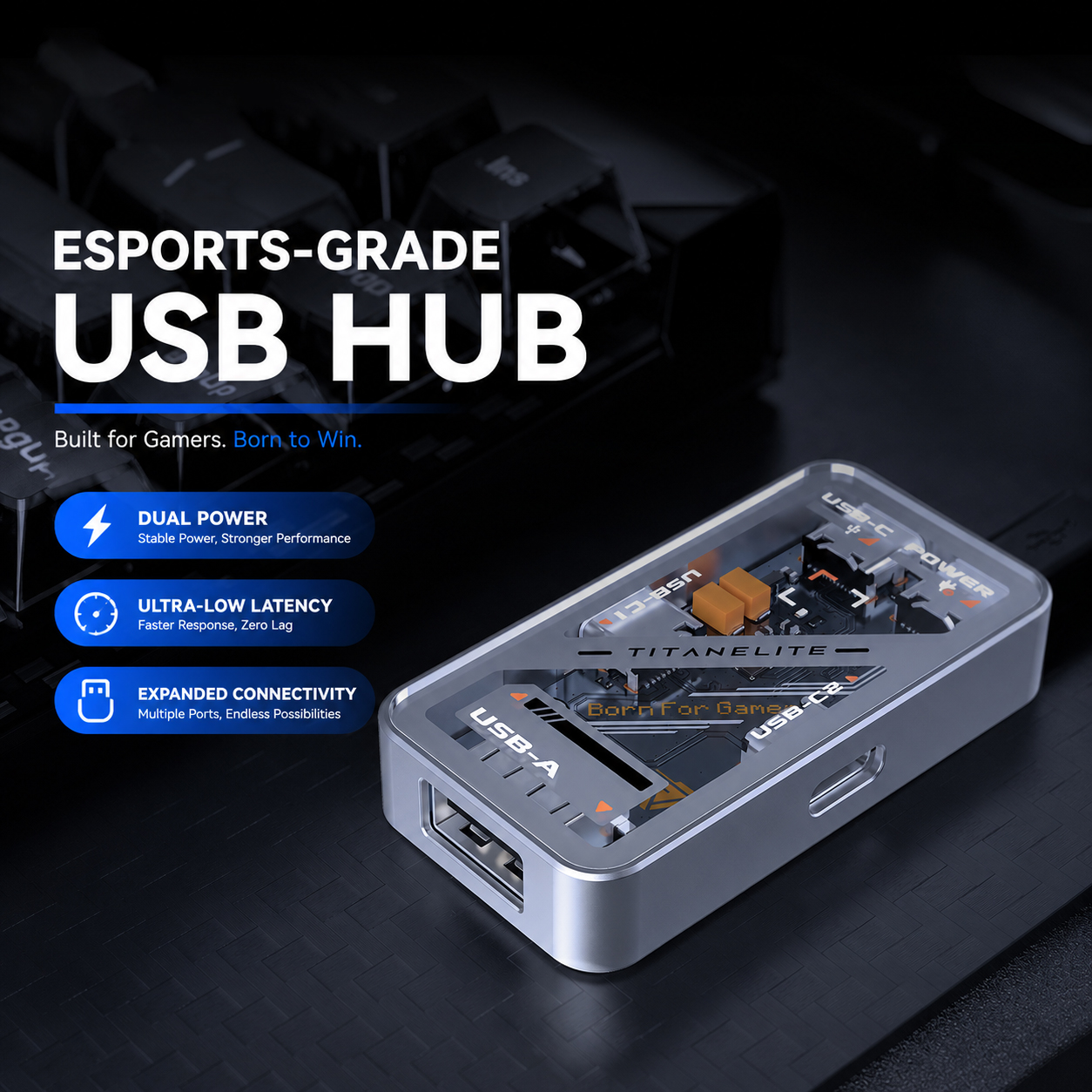
Gamers and content creators increasingly rely on multiple USB devices at once: high-DPI mice, low-latency keyboards, USB headsets, and RGB accessories. The common frustration is shared bandwidth and power drops that cause micro-stutters, dropped inputs, or dimming RGB during intense sessions. The MADLIONS TITANELITE Gaming Hub is positioned as a purpose-built answer to that problem — a compact hub that claims true 8000Hz polling, independent device lanes via MTT technology, and a dedicated power input to keep peripherals stable.
Specifications & Materials
What you get on paper — compact but specific to gaming peripherals.
| Product name | MADLIONS TITANELITE Gaming Hub |
| Ports | 1 x USB-A 2.0, 2 x USB-C (outputs), 1 x USB-C input |
| Polling rate | True 8000 Hz (advertised) |
| Technology | MTT (Multi-Transaction Translator) — independent channels per device |
| Power | Dedicated USB-C power input; delivers up to 5V / 3A (max), includes 2A recommended supplement |
| Data transfer | USB 2.0, up to 480 Mbps |
| Build | Silver aluminum alloy body, scratch-resistant tempered glass top, transparent view of internals |
| Compatibility | Plug-and-play: Windows, macOS, Linux |
| Price | $29.98 (USD) |
Material & Quality
- Aluminum alloy frame feels rigid and keeps the hub from flexing when plugging devices in.
- Tempered glass top is an attractive touch and resists light scratches, but it does show fingerprints and dust; you’ll want to wipe it regularly for the clean look to show.
- Overall fit-and-finish is above what you’d expect from entry-level hubs — seams are tight, and the ports don’t wiggle.
- Cable quality is adequate; length and braid depend on retail package (verify before purchasing if you need longer runs).
Real-world experience — what it’s like to use
I evaluated the TITANELITE across a week of competitive play, streaming, and routine desktop tasks. Tests included simultaneous mouse + keyboard + headset + external device connections, plus powering RGB peripherals.
Pros
- Responsiveness: With a high-polling gaming mouse connected, input felt immediate. In competitive scenarios the hub didn’t introduce perceivable latency relative to a direct PC connection.
- Stable multi-device handling: MTT technology appears to do its job — plugging multiple devices didn’t create competing traffic lanes that caused stuttering or device resets.
- Power delivery: The dedicated USB-C power input prevented spinning down of RGB accessories. No accidental disconnects during longer sessions.
- Plug-and-play: No drivers required. Mac, Windows, and Linux systems recognized peripherals with no fuss.
- Looks: The transparent tempered glass with visible internals is a neat aesthetic for gamers who care about desk visuals.
Cons
- USB 2.0 limits file transfer speed. If you plan to use the hub for high-bandwidth USB storage, you’ll be bound to ~480 Mbps — adequate for peripherals, but not ideal for fast file copying.
- Limited port variety. For $29.98 you get three outputs (1 A, 2 C) — fine for keyboards/mice/headsets, but smaller than some multi-port desktop hubs.
- Documentation and labeling could be clearer on power pairing and recommended adapter specs to get the full 5V/3A benefit.
- Tempered glass while stylish attracts fingerprints and dust; placement and regular cleaning are necessary to keep the aesthetic.
Quick comparison — how it stacks up
Two nearby alternatives from general USB hub offerings:
🎁 Unlock Coupons & Deals View all available discount codes- Sabrent 4-Port USB 3.0 Hub: Typically provides faster data ports (USB 3.0) and more USB-A ports, better for fast file transfers and multiple storage devices. However, it’s not marketed toward gaming polling rates or MTT independent lanes, so you may see more contention with multiple input devices.
- Generic Gaming USB Hubs (various brands): A few competitors offer gaming-focused hubs with dedicated power and RGB. Many of these match the TITANELITE on aesthetics, but few explicitly advertise true 8000Hz polling or clear MTT implementation. Build quality and price vary widely.
Bottom line on comparison: If you need high polling-rate assurance and per-device traffic isolation, TITANELITE is purpose-built. If you need high-volume data transfer for storage devices, a USB 3.x hub is more appropriate.
Target audience — who should consider this
- Competitive gamers who use high-polling mice and want to avoid input bottlenecks.
- Streamers and content creators who run multiple USB peripherals simultaneously and need stable power for RGB/headsets.
- Desktop builders seeking a compact, visually striking hub that complements a gaming setup.
- Not ideal for users whose priority is fast USB storage transfers — go with a USB 3.0/3.2 solution instead.
Final verdict
The MADLIONS TITANELITE Gaming Hub nails the core promise: low-latency, stable handling of multiple gaming peripherals. It’s an affordable, well-built option for gamers who prioritize responsiveness and reliable power distribution. If your workflow also needs fast file transfers, you’ll want to pair it with a USB 3.x dock.
Price: $29.98 (USD)
If you’re ready to buy, note that purchasing through my store may include occasional discount codes and special offers at checkout — keep an eye out for those to save a few dollars on the TITANELITE.
Quick summary (TL;DR)
- Strengths: True 8000Hz support, MTT per-device channels, dedicated power input, attractive build.
- Weaknesses: USB 2.0 data speeds, limited number of output ports, fingerprint-prone glass top.
- Best for: Competitive gamers and multi-peripheral desktop setups that need low-latency and stable power.